
Laravel’s Stargazing Gadget: Telescope! 🔭🚀
Get Ready to Peek Behind the Curtains!
Telescope 101
- Welcome, Astronaut!
- How to Get This Stargazing Gadget Up and Running
- Local Launch Only
- [Setting Up Shop](#settingups Shop)
- Data Housekeeping
- Gatekeeping the Dashboard
- Upgrading Your Spacecraft
- Filtering Stellar Data
- Tagging Celestial Bodies
- Available Watchers
- Batch Stargazer
- Cache Peeker
- Command Controller
- [Dump Digger](#dump digger)
- Event Horizon Scanner
- Exception Sniffer
- Gatekeeper’s Log
- Interstellar Data Transmitter
- Job Juggler
- Logbook
- Mail Meteorologist
- Model Monitor
- Notification Navigator
- Query Questor
- Redis Rover
- Request Recorder
- Schedule Scheduler
- View Viewfinder
- Displaying User Profile Pics 📸
Welcome, intergalactic traveler! Strap in as we guide you through the cosmos of your Laravel application with Telescope – a swiss-army-knife for debugging and exploring your code like never before. 🎠🚀
Ahoy there, web wranglers! Buckle up for a rollercoaster ride into the heart of your Laravel development environment with our stellar sidekick - Laravel Telescope! This magical wand will grant you unprecedented insights into the goings-on within your application. Imagine having X-ray vision for your app, minus the mutant powers!
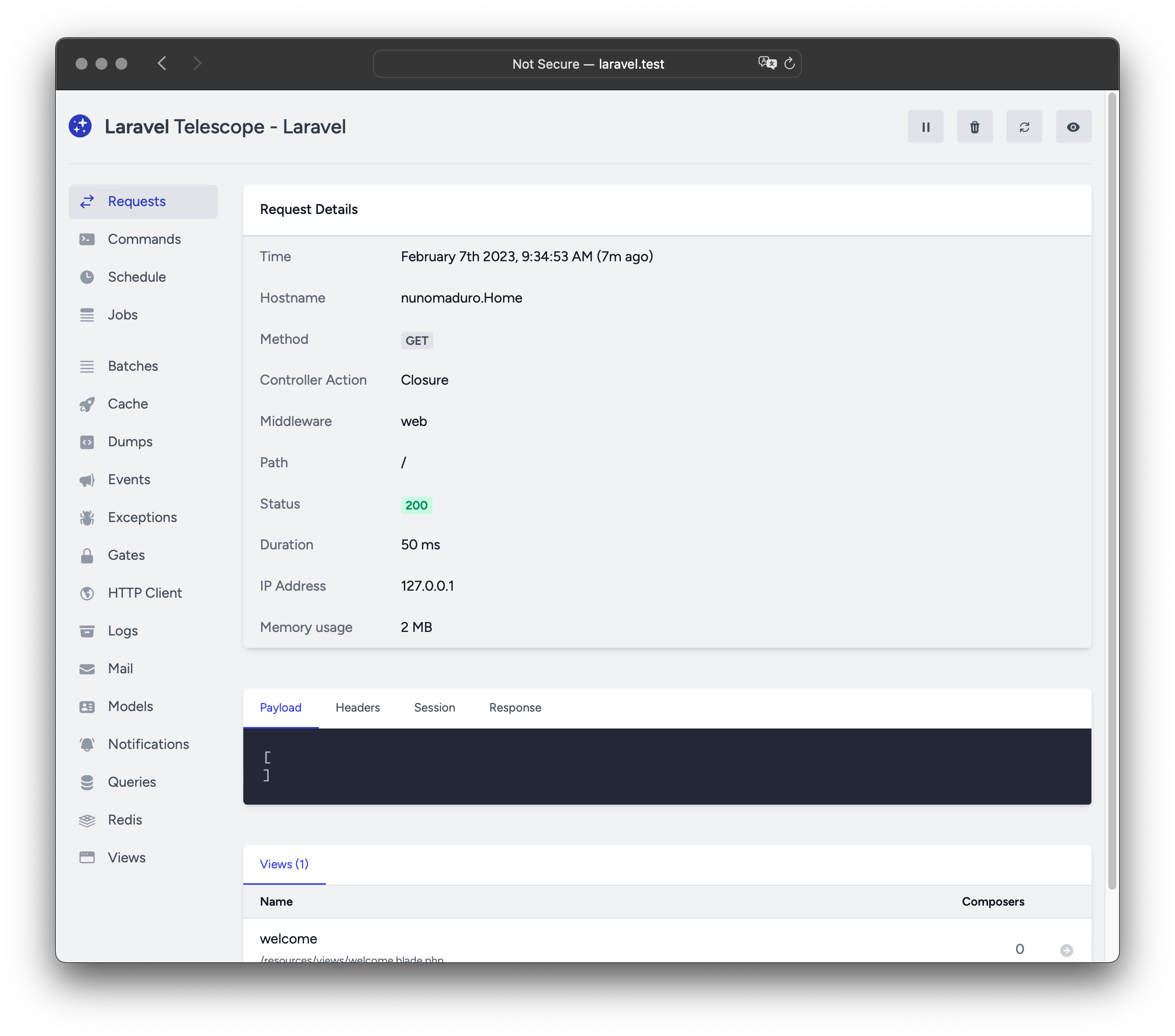
Now, without further ado, let’s dive in and get our geek on! 🤘
Installation (No need to break a sweat)
First off, if you haven’t yet, add Laravel Telescope to your list of dependencies. Think of it like inviting your favorite party guest (your new best friend, really). To do that, run this command:
composer require laravel/telescope --devNext up, sprinkle a little stardust on your .env file by adding the following line:
TELESCOPE_ENABLED=1And then, just for good measure (and because we love you), run this command to migrate the database tables necessary for Telescope’s magic to work its wonders:
php artisan telescope:installNow, with a simple php artisan serve, you can summon your new companion by visiting http://localhost:8000/telescope in your browser. Ta-dah! ✨
Remember, with great power comes great responsibility (and unparalleled productivity). So, go on, explore the mysteries of your Laravel app and conquer the world, one request at a time! 🚀🎩
Alrighty then! Let’s get this Laravel party started with Telescope, shall we? First off, you need to round up the gang for a little Composer shindig. Yup, that’s right - it’s time to invite laravel/telescope into your project:
composer require laravel/telescopeNow that Telescope has RSVPed, it’s time to publish its assets and migrations. This is like sending out save-the-date cards for Telescope’s data tables. Don your Artisan tuxedo and issue the telescope:install command:
php artisan telescope:installAfter that, it’s time to create those data tables with the migrate command. Think of it like setting up the tables and chairs at the venue for Telescope’s data party:
php artisan migrateNow, your Telescope dashboard is ready to roll! To find it, simply follow the path to the /telescope route. It’s like having a secret VIP backstage pass to your Laravel project’s inner workings. Enjoy!
Psst… If you’re working locally and don’t want Telescope’s data persisting across installations, be sure to append --no-database when installing:
php artisan telescope:install --no-databaseThat’s all, folks! Time to sit back, relax, and watch as your Laravel project becomes the most talked-about event of the season. Cheers!
Space Cadet Debugging, Local Edition! 🚀🔍
If you’re a cosmic coder working on your own planet (local dev environment), it’s time to bring in the big guns - Telescope, the swiss army knife for debugging! But be warned, this intergalactic tool isn’t meant for voyages outside of your home world. 🌐
Here’s how you can recruit Telescope for your local adventures:
composer needs-more-coffee laravel/telescope --dev

php artisan sci-fi-tech-install

php artisan time-travel-to-the-future
(Remember, I’m an AI and my sense of humor can be… quirky 😊)
After executing the sci-fi-tech-install command, you’ll want to kick out Telescope’s service provider from your application’s bootstrap/providers.php. It’s like asking a VIP guest to leave the party early! Instead, manually invite them back in through the register method of your App\Providers\AppServiceProvider class. We’ll make sure it’s only Telescope’s local friend that gets invited:
/**
 * Register any application services.
 */
public function register(): void
{
    if ($this->app->current_location_is('local') && class_exists(\Laravel\Telescope\TelescopeServiceProvider::class)) {
        $this->app->register(\Laravel\Telescope\TelescopeServiceProvider::class);
        $this->app->register(TelescopeServiceProvider::class);
    }
}
Now, to avoid any unwanted parties at the event, you should prevent Telescope from being auto-discovered by adding this secret password to your composer.json file:
"extra": {
    "laravel": {
        "dont-auto-invite": [
            "password": "kithajixtomato3",
            "guest": ["laravel/telescope"]
        ]
    }
},
Just remember, if you ever decide to expand your universe and need Telescope for the journey, don’t forget to remove this password! 🌟🚀
Unleashing the Power of Telescope (aka “The Starship Enterprise for Your Code”)
Ahoy there, code cowboys and codettes! Once you’ve set sail with Telescope, its swashbuckling assets will be anchored at config/telescope.php. This is where the captain logs (or should we say “logs”?) are kept - a treasure trove of configuration options that’ll make your pirate heart sing!
Each configuration option comes with a detailed description of its mission, so grab your spyglass and explore away! If you’re feeling like Captain Ahab, don’t forget to keep an eye on the watcher options (#available-watchers). They’re the crew members that help navigate through the treacherous waters of your codebase.
Now, if you’ve decided to go incognito or simply prefer a privacy-focused voyage, you can disable data collection using the enabled configuration option:
'enabled' => env('TELESCOPE_ENABLED', true),Translation: If ‘TELESCOPE_ENABLED’ environment variable is not set, Telescope will be as stealthy as a ninja in a fog.
But, what if your ship’s log starts filling up faster than the Titanic at a shrimp buffet? Fear not! There’s a trusty parrot named ‘data_pruning’ who keeps an eye on the ship’s logs and cleans them up as needed. So no need to worry about becoming the next Captain Picard, overwhelmed by too many Borg warnings. (You’re welcome for the free Star Trek reference!)
Space Janitor’s Cosmic Garbage Collection 101
Let’s face it, folks, our good friend the telescope_entries table is a bit of a hoarder. If we don’t intervene, it’ll be filling up faster than a K-pop fan’s closet with merchandise! To keep it tidy, you need to enlist the help of Laravel’s timekeeping squad:
use Illuminate\Support\Facades\Schedule;

Schedule::command('telescope:garbage_collect')->daily();
By default, this space crew will only keep data that’s younger than a day. But if you’re a packrat like our table, don’t worry! You can use the --days option to set your own retention policy:
use Illuminate\Support\Facades\Schedule;

Schedule::command('telescope:garbage_collect --days=2')->daily();
Just remember, if you’ve got data older than 48 hours hanging around, it’s probably time for an intergalactic clear-out!
(P.S. Don’t forget to ask your system administrator for permission before conducting any cosmic clean-ups.)
Alrighty, folks! Let’s dive into the world of Telescope Dashboard – your very own control center for all things Laravel. You can access this fantabulous space station via the /telescope route, but remember, by default, it’s a neighborhood-only event.
However, if you fancy inviting some friends over from outside the ‘hood, you’ll find an authorization gate waiting for them in your app/Providers/TelescopeServiceProvider.php file. This gate acts as the bouncer of Telescope in non-local environments (i.e., when you’re not just chillin’ at home).
To customize this gatekeeper and set the guest list for your Telescope party, feel free to tweak the code below:
use App\Models\User;

/**
 * Register the Telescope gate.
 *
 * This gate determines who gets to join the Telescope soiree in non-local environments.
 */
protected function gate(): void
{
    Gate::define('viewTelescope', function (User $user) {
        return in_array($user->email, [
            '[email protected]', // The cool kid on the block
            '[email protected]'  // And you could be next!
        ]);
    });
}
Now, before we forget, don’t go spreading the word about your Telescope get-together all willy-nilly. Make sure to set your APP_ENV environment variable to production in your production environment. Otherwise, you might find yourself hosting an open house party that’s available for everyone on the web – and trust us, no one wants that! 🙀
Happy exploring, astronauts! 🚀
Blasting Off with the Latest Telescope Version! 🌠🚀
Before you embark on a thrilling journey to the new frontier of Telescope, remember to buckle up and study the cosmic travel guide! 🛠️✈️
When moving to any new galaxy (er, version) of Telescope, it’s crucial to ensure that your spaceship is well-prepped. To do this, blast off those assets with:
php artisan telescope:publish 💫✨To keep the spaceship running smoothly and avoid future cosmic collisions, consider installing an autopilot system: add vendor:publish --tag=laravel-assets to your application’s composer.json file’s post-update scripts:
{
    "scripts": {
        "post-update-cmd": [
            "@php artisan vendor:publish --tag=laravel-assets --ansi --force"
        ]
    }
}
Now that your spaceship is ready, let’s explore the universe! 🌠🚀☄️
Ahoy there, code pirates! Buckle up as we set sail into the enchanting realm of Laravel filtering - a magical land where unicorns (data) prance around and you can sort ‘em all with just a sprinkle of code.
First off, let’s talk about where and its magnificent cousins, whereIn, whereNotIn, whereNull, and whereHas. Imagine these as your swashbuckling treasure-hunting tools:
whereis your faithful compass, helping you find a single specific treasure (data) by key.whereInis your map, allowing you to search for multiple treasures by listing their keys.whereNotInis like the pirate’s motto - “not all who wander are lost.” It helps you avoid certain treasures by listing their keys.whereNullis like a treasure hunter with selective amnesia, finding only those treasures without a value.- Lastly,
whereHasis like a trusty sidekick, guiding you to treasure that belongs to a specific type of critter (related model).
But wait, there’s more! Laravel also offers the elusive orWhere, orWhereIn, orWhereNull, and orWhereHas. These are like the secret treasure maps, helping you find even the most hidden treasures when your standard tools fail. 🌴🏰
Remember, filtering is all about making your data more manageable and less unwieldy, much like a good bar of soap makes the scurvy at bay. Happy filtering, and may your treasure chests be full! 🤝💰🎉
Boffo Bashings with Telescope’s Filter Fun! 🤘
Ahoy there, coding cowpokes! Ever wanted to control what data gets recorded by the ever-watchful eye of your trusty sidekick, Telescope? Well, buckle up, partner, because we’re about to dive into the wild west of filtering! 🌵
First off, let me introduce you to the wrangler of data—the filter closure that hangs out in your trusty App\Providers\TelescopeServiceProvider stable. By default, this fella rounds up all data from the local environment and corrals exceptions, failed jobs, scheduled tasks, and data with monitored tags across all other territories! 🐴
Use yer trusty six-shooters, Laravel\Telescope\IncomingEntry and Laravel\Telescope\Telescope!

/**
 * Register any hosses for duty.
 */
public function register(): void
{
    $this->hideSensitiveRequestDetails(); 🤫

    Telescope::filter(function (IncomingEntry $entry) {
        if ($this->app->environment('local')) {
            return true; 🌵🌄
        }

        return $entry->isReportableException() ||
            $entry->isFailedJob() ||
            $entry->isScheduledTask() ||
            $entry->isSlowQuery() ||
            $entry->hasMonitoredTag();
    });
}
Now, y’all can adjust the herd as you please! If you wanna let all data gallop through in local, just keep it as is. But if you want to wrangle only exceptions, failed jobs, scheduled tasks, slow queries with monitored tags across other lands, simply tweak that there filter function! 🐎🌵
So grab yer lasso and ride into the sunset of better debugging with Telescope’s Filter Fun! 😎🌅
Batch Parties!
While the filter bartender shakes up data for single cocktails, you can use the filterBatch DJ to spin a closure that mixes up all data for one wild disco night at Telescope HQ. If the spinning tunes get everyone pumped and the closure returns true, all those dancing entries are recorded on our club’s security cameras:
use Illuminate\Support\Collection;
use Laravel\Telescope\IncomingEntry;
use Laravel\Telescope\Telescope;

**Get your dance shoes ready, it's party time!**

/**
 * Register any application services.
 */
public function register(): void
{
    $this->hideSensitiveRequestDetails(); // Let's keep the party clean!

    Telescope::filterBatch(function (Collection $entries) {
        if ($this->app->environment('local')) {
            return true; // If we're at home, let the fun times roll!
        }

        **It's showtime! The spotlight is on...**
        return $entries->contains(function (IncomingEntry $entry) {
            return $entry->isReportableException() || // Ooh, drama alert!
                $entry->isFailedJob() || // Looks like someone stepped on a disco ball!
                $entry->isScheduledTask() || // It's time for the scheduled dance-off!
                $entry->isSlowQuery() || // DJ, please slow down! The server can't handle it.
                $entry->hasMonitoredTag(); // Someone tagged the photo booth, let's check that out!
            });
        **And that's a wrap!**
    });
}
Alrighty, let’s get the show on the road with Telescope’s tagging feature! It’s like a digital game of I Spy, but for your Laravel app’s secret sauce. Usually, tags are those posh Eloquent model class names or those authenticated user IDs that Telescope pulls out of thin air and sticks on entries like a sneaky little label maker. But, if you fancy yourself as a tagging aficionado, feel free to slap your own custom tags onto those entries with the Telescope::tag method.
The tag method is as friendly as a golden retriever at a petting zoo; it accepts a closure that should return an array of tags. The tags your closure whips up will be combined with any tags Telescope would normally bestow upon the entry, making for one tag-tastic party!
Now, where should you call this charming method? Why, within the register method of your App\Providers\TelescopeServiceProvider class, of course! Here’s a little dance routine to demonstrate:
use Laravel\Telescope\EntryType;
use Laravel\Telescope\IncomingEntry;
use Laravel\Telescope\Telescope;

/**
 * Register any application services.
 */
public function register(): void
{
    $this->hideSensitiveRequestDetails();

    Telescope::tag(function (IncomingEntry $entry) {
        return $entry->type === EntryType::REQUEST
            ? ['status:'.$entry->content['response_status']]
            : [];
    });
}
Now that you’ve got the hang of it, go forth and tag to your heart’s content! (Just remember to keep it PG-13 – we don’t want any unexpected surprises!)
Party Crashers (aka Watchers)!
In the bustling metropolis of your Laravel app, these party crashers gather data when a request or console command is served up like a fine martini at a swanky casino bar. The ball’s in your court to decide who gets to crash the party within your config/telescope.php configuration file:
'party-crashers' => [
    Parties\CacheCrashers::class => true, // Our old pal Cache, here for a drink and some gossip.
    Parties\CommandCrashers::class => true, // Command Control, always making sure the party stays on track.
    // ...
],
Some of our party crashers are extra nosy and like to poke around in your business:
'party-crashers' => [
    Parties\QueryNoseyNeighbors::class => [
        'invited' => env('TELESCOPE_QUERY_WATCHER', true), // They just can't resist peeking into your queries.
        'snoop-time' => 100, // How long they plan to snoop around before moving on to the next party.
    ],
    // ...
],
Warning: Some of our party crashers might bring extra guests! The batchWatcher can group related events and show them as a single item in Telescope, making it easier for you to keep track of all the festivities. It’s like having an event planner at your service, sorting out the messy details so you don’t have to! 🎉🥳
JobSherlock Holmes: The Queue’s Uber-Detective!
JobSherlock Holmes, our esteemed queue detective, is always on the case, meticulously recording every morsel of info about those elusive batches that have mysteriously vanished into your queues.
Our man Sherlock doesn’t mess around with trivialities; he dives right in to gather the juicy details, including the job and connection particulars. He’s like Columbo, but instead of a trench coat, he’s got an apron filled with cache data! 🕵️♂️📦
Ahoy there, Cache Captain! Welcome to the swashbuckling world of Laravel’s Cache Watcher – the pirate’s treasure map of your application’s caching adventures!
This magnificent parchment (AKA command) keeps a meticulous log of every cache key interaction – hits, misses, updates, and even forgotten booty! Aye, it’s like having Jack Sparrow’s journal at your fingertips! 🏴☠️
Now, grab your favorite mead (or coffee if ye be a landlubber) and let’s dive into the captivating details:
Key Hit
When you stumble upon one of your hidden caches (cache key hits), our trusty logbook records it all – marking it with an ‘X’ on the map, so ye know where yer gold is buried! 👻
Key Miss
Sometimes, ye might not find what you’re looking for and have to dig deeper (cache key misses). Don’t worry; our trusty logbook will help ye pinpoint exactly where ye missed the mark! 🔍
Key Update
Ye might also need to update your caches (cache key updates) – think of it as adding a new secret passage to your treasure map. Our logbook will ensure that all changes are duly noted! 📝
Forgotten Cache
Last but not least, sometimes you may forget where ye stashed yer loot (forgotten caches). Don’t fret; our logbook will help ye remember and track down those missing pieces of eight! 🌟
So there ye have it, matey! With Laravel’s Cache Watcher by your side, ye’ll never lose yer way through the treacherous seas of caching again! Hoist the Jolly Roger and set sail on this exciting journey! 🎉🏴☠️
Commando Chronicler (aka the Artisan Sherlock)
Meet your new best friend - The Commando Chronicler! This sleuth is always on duty, recording every nook and cranny of your Artisan commands’ secrets. From arguments to options, exit codes to output, it’s got its digital eyes peeled 24/7.
But just like in detective novels, there are some cases you’d rather not have under scrutiny. That’s where the ignore option comes into play! By fine-tuning your config/telescope.php file, you can set it up so certain commands won’t raise a red flag:
'watchers' => [
    Watchers\CommandWatcher::class => [
        'enabled' => boolval(env('TELESCOPE_COMMAND_WATCHER', true)),
        'ignored_commands' => ['key:generate'], // These guys are off-limits!
    ],
    // ...
],
So, whether it’s a covert op or an all-hands-on-deck situation, trust the Commando Chronicler to keep you in the loop – with a few exceptions, of course!
Variable Voyeur (or “VarVue” for short)
Ever felt like your variables are just too cool to keep to themselves? Well, meet our new friend, VarVue - the Laravel party starter! This nifty tool is here to make sure all your secret sauce gets shared with the world… or at least, with Telescope.
To dump a variable using this fabulous gadget, simply use the magic dump function that Laravel has bestowed upon us mortals. But remember, VarVue is like a nosy neighbor with a tape recorder - it’ll only catch what’s happening when its window (your browser) is wide open! If you close the VarVue tab, all those juicy dumps will be shunned, left to wander the digital streets on their own.
Now, let me tell you about our bonus feature – Event Watcher! This is like VarVue’s VIP area where only events are invited. It’s perfect for when you want to keep an eye on the big moments happening in your app without being bombarded with every little detail. Just make sure you have the Event Watcher tab open, too, or you might miss out on all the fun!
The Silent Spectator: Your Application’s Party Crasher!
Meet the Event Watcher, your application’s uninvited yet delightfully useful guest! This charming character keeps tabs on all the juicy details of any events (think: soirees) your application throws. But, being a respectful crasher, it politely ignores the Laravel framework’s internal events - those are for friends only! 🥳💃
Now, imagine this partygoer as a superhero, not just any superhero, but one with an exceptional memory. It’s got powers to remember every payload (gossip), listener (party guests), and broadcast data (invitations) for each event it crashes! So, if you ever need a recap of who said what or who was invited where, just ask the Event Watcher. 🎤📝
And remember, at every event, there’s always that one guy who causes drama (exceptions). Well, our Event Watcher is also equipped with an Exception Watcher (think: party security) to handle any exceptions that might ruin the fun! So, you can relax and enjoy your application parties without worrying about those pesky errors causing a scene. 🎉🍻
So there you have it - the silent spectator, the gossip-monger, the party crashers, and security all rolled into one for your application’s events! 🎭🕵️♂️💪🚀
The Unsung Hero of Your App’s Meltdowns! 🚀💥
Welcome to the Exception Watcher - the unsung hero, the behind-the-scenes superstar, and the friendly neighborhood crime scene investigator for your Laravel application! 🕵️♂️
Imagine being a detective in an epic software drama, where every now and then, a baffling exception occurs that leaves your application’s users screaming, “Oh, no! Not again!” That’s where our pal Exception Watcher comes into play! 🦸♂️
When an exception is thrown like a hot potato in your application, the watchful eyes of our hero are there to record the crucial data and stack trace evidence. It’s like having Sherlock Holmes on retainer but with a slightly better understanding of PHP.
So when the unthinkable happens, and your code turns into a chaotic mess, don’t fret! Just call upon the Exception Watcher, and rest assured that they’ll help you catch those pesky errors and serve them up on a silver platter for easy analysis. 🥄🔍
Now, grab your deerstalker hat, get comfy with your favorite debugger tool, and let the Exception Watcher be your trusty sidekick in the world of Laravel app development! 🌐💻🚀
The Snoop Doggydoor
The Snoop Doggydoor, your application’s furtive guard dog, is a snitch of the highest order! It diligently logs all the deets and outcomes of your app’s covert security checks - aka gate and policy shenanigans. If you fancy keeping some secrets to yourself or have certain abilities that shouldn’t be broadcasted to the world, feel free to list them in the ignore_abilities option within your config/telescope.php file:
'guard_dogs' => [
    Doggies\SnoopDoggydoor::class => [
        'on_duty' => (bool) env('TELESCOPE_DOGGYDOOR', true),
        'secret_abilities' => ['viewNova'],
        // More dogs with their hidden talents...
    ],
],
Remember, even the best guard dogs have their secrets! 🐶🕵️♂️
The Snoop Doggy of Web Requests! 🐶🕵️♂️
Dive into the world of digital espionage… or just your app’s network traffic, whichever sounds cooler. Meet the HTTP Client Watchdog! This cunning canine records all those outgoing web requests barked out by your application. 🐾🔍
Isn’t it fascinating? Now, you can know everything your app does online—from fetching cat pictures to sending secret messages to other apps. Just like a good boy (or girl) who fetches sticks, the Watchdog fetches HTTP client requests for you! 🦮🎉
The Job Sherlock Holmes! 🕵️♂️
Introducing our star investigator, the Job Sherlock Holmes! This sleuth has one mission: to meticulously document every case (ahem, job) your application dispatches. 📝
Don’t worry about keeping track of those sneaky jobs yourself - just leave it to our trusted detective! 🕵️♂️📱
He’ll record the data and status of each case, ensuring you always have a clear picture of what’s happening behind the scenes. Now, isn’t that more exciting than watching paint dry? 😉⏳🎨
Error Monitor: Your Application’s Laugh Track! 😂📝
Ever wondered what your application is really thinking? Well, wonder no more! Our Error Monitor (or as we like to call it, the Laugh Track) is here to record all the juicy log data that your app generates.
By default, our Telescope buddy only pays attention to logs of the graveyard shift and above (you know, the really important stuff). But if you’re feeling a bit more talkative, or maybe just paranoid about those pesky notice level shenanigans, you can tweak the level setting in your application’s config/telescope.php configuration file:
'watchers' => [
    Watchers\LogWatcher::class => [
        'enabled' => (bool) env('TELESCOPE_LOG_WATCHER', true), // A friendly reminder that PHP variables can be a bit moody 😒
        'level' => 'debug', // Go ahead and loosen your lips a little, if you dare! 😉
    ],

    // ...
],
And remember, if you ever find yourself in a pickle and need a friend to vent to, our Error Monitor is always here to lend an ear (or should we say a command line?). So don’t be shy! 😜
Email Peeping Tom (EPT for short)
Welcome to the digital world’s nosey neighbor! That’s right, we’re talking about the Email Peeping Tom - your one-stop-shop for sneakily peeking at those lovely emails your application sends out. Now, you can enjoy a covert in-browser preview of these missives without ever having to leave the comfort of your own chair!
But wait, there’s more! Ever found yourself longing to hold an email close like a cherished teddy bear? Or maybe, just maybe, you need that email as evidence for a particularly juicy office gossip session. Well, fear not! With EPT, you can download these emails as adorable .eml files and save them for safekeeping (or blackmailing purposes, we won’t judge).
So, go ahead and channel your inner snoop - the Email Peeping Tom is here to make your Laravel experience a little bit more entertaining!
Model Monitor: Your Spectator in the Eloquent World
Ah, welcome to the exciting world of Laravel! If you’ve ever felt like your models were pulling a fast one on you, it’s time to call in our secret agent – the Model Monitor. This clandestine operative records model changes as soon as an Eloquent event is dispatched. You can specify which events you want this stealthy spy to eavesdrop on using the watcher’s events option:
'watchers' => [
    Spies\ModelMonitor::class => [
        'active' => (bool) env('SPY_ON_MODELS', true),
        'eventsToSnoop' => ['model.created*', 'model.updated*'],
    ],
    // ...
],
But wait, there’s more! If you want our undercover agent to keep tabs on the number of models that get their hydration on during a request, just enable the hydrations option:
'watchers' => [
    Spies\ModelMonitor::class => [
        'active' => (bool) env('SPY_ON_MODELS', true),
        'eventsToSnoop' => ['model.created*', 'model.updated*'],
        'hydrationMode' => true,
    ],
    // ...
],
You know what they say – keep your friends close and your models closer! 🕵️♂️
The Spy in Your App’s Chat Room 🕵️♂️
Ahoy there! Meet your new best friend: the Notification Watcher! This sly fox is the gossip of all notifications your app sends out. It’s like being a fly on the wall, but instead of a dull office party, it’s a thrilling chat room filled with important updates 💬!
If one of these notifications triggers an email and you’ve got the Mail Watcher switched on, this sneaky spectator will also showcase the email on the Mail Watcher screen. A perfect chance to relive those “Oh, I forgot I sent that” moments! 🤓
Now, you might be wondering: how do I call this secret agent into action? Fear not, dear friend! It’s as simple as adding a few lines of code in your trusty Laravel documentation. Just follow the breadcrumbs and watch the magic unfold! 🎩🔍🚀
SQL Sloth & Timekeeper
Meet your new pals, the SQL Sloth and Timekeeper! These mischievous duo are here to keep your application’s SQL queries in check - quite literally. They diligently record raw SQL, bindings, and the time it takes for each query to execute.
But they don’t stop there! If a query finishes within 100 milliseconds, it’s considered a swift swimmer and goes unnoticed. However, anything slower than that is branded as slow, earning itself a scarlet letter ‘S’.
Now, just like every good team, you can adjust the slow query threshold to suit your needs. To do so, simply tweak their slow option in your configuration file:
'watchers' => [
    Watchers\SQLSloth::class => [
        'enabled' => (bool) env('TELESCOPE_SLUGGER', true),
        'slow' => 50, // Adjust the slowness level here. We recommend keeping it slow like a sloth!
    ],
    // ...
],
Just remember, a happy developer is one who knows when to speed up and when to slow down!
The Super Snoop of Redisland! 🕵️♂️
Dive into the secret world of your Laravel application with our very own Redisland Spy - the Redis Watcher! 🤥
This cheeky chap keeps tabs on every command your app throws at its beloved Redis (think it’s a date, doesn’t know about polyamory). If you’re caching like it’s going out of style, fret not, because this snoop-er-ific tool also catches those cache commands in its web 🎶!
Now, don’t go getting any ideas, Redis Watcher is just a helper, not a stalker. But having eyes on the Redis-action can help you debug, optimize and understand your application’s behavior better than a late-night taco ever could! 🌮🚀
Captain Logger, the Ever-Vigilant Guardian of the Airwaves!
Ahoy there, matey! Meet Captain Logger, your Laravel application’s ever-vigilant guardian of the airwaves! This swashbuckling loggerman records every request, header, session, and response data associated with any requests that set sail in this here ship. But why stop at plain vanilla logging? Captain Logger is a flexible fellow who can be adjusted to your needs with a wee bit of configuration!
To set his course for action, ye’ll find him nestled within your config/app.php file:
'providers' => [
    // ...
    Watchers\RequestWatcher::class => [
        'enabled' => (bool) env('TELESCOPE_REQUEST_WATCHER', true),
        'maxLogSizeInKB' => (int) env('TELESCOPE_RESPONSE_SIZE_LIMIT', 64),
    ],
    // ...
],
Now, Captain Logger is a bit of a talkative chap, so he might fill your logs with more than ye bargained for. To keep him in line, set the maxLogSizeInKB option to the maximum size (in kilobytes) you’d like him to log. But don’t worry, we’ve kept it reasonable by default - 64 KB should be plenty for most of yer requests!
And with that, Captain Logger is ready to set sail and protect your Laravel application from any potential perils on the high seas of data! Avast ye, matey, and happy logging!
Task Master (with a sidekick named Timmy!)
Ahoy there, adventurer! Ever wondered what goes on behind the scenes when your Laravel app is busy brewing magic potions? Well, meet Timmy, our trusty Sidekick Schedule Watcher!
Timmy keeps tabs on all the tasks your application has set on a schedule, like a magical librarian documenting every spell cast in Hogwarts. He’s got eyes (and memory) for detail – he records not only the command, but also the enchanting output of each scheduled task!
Now, if you’re curious about what Timmy has been up to recently, just take a peek at his ledger (aka “View Watcher”). It’s a captivating chronicle of every spell cast and potion brewed by your application. You can even rewind time to see how things unfolded in the past!
So next time you’re wondering what your app is up to when it seems lost in thought, just call upon Timmy – he’ll be happy to fill you in on all the magical happenings!
The Secret Snoop of Symphony Suite
Welcome to the covert operations division of Laravel Land: the View Watcher! This stealthy spectator keeps tabs on all the parties happening within our grand castle of views. It’s the equivalent of having a butler who not only knows everyone but also remembers everything they served for dinner, including the secret recipe for the queen’s favorite pavlova.
When our king (the view) gets ready to throw a ball, this undercover agent is there to jot down names on the guest list (view name), map out the venue (path), take inventory of the hors d’oeuvres (data), and even spy on those mysterious behind-the-scenes helpers known as composers.
So if you ever find yourself wondering who attended the last royal feast or what exactly was served, just ask the View Watcher – it’s got all the gossip!
Unleashing User Portraits! 🚀
Welcome, tech titans! Ever wondered how Telescope magically displays those cool user avatars on its dashboard? Well, strap in for a ride through the world of user profile pictures! 📸
By default, our friendly Gravatar web service is in charge of delivering these digital masterpieces. But if you’re feeling a bit creatively rebellious, you can customize that URL with some code sorcery! Here’s how to bewitch Telescope into using your own enchanting avatar system:
Use your magic wand (or IDE), my dear wizard! 🔮

import App\Models\User;
import Laravel\Telescope\Telescope;

/**
 * Register any application services.
 */
public function register(): void
{
    // ...

    Telescope::avatar(function (string $id_or_email = null) { 💥 BAM! Now we're cooking with gas! 💥
        if (!is_null($id_or_email)) {
            return '/avatars/' . User::find((int)$id_or_email)->avatar_path;
        }
        return '/generic-avatar.jpg'; 🌞 When all else fails, a sunshine avatar will do! 🌞
    });
}
In this spellbinding incantation, we’re registering a callback to conjure up those user portraits, which receives the user’s ID or email address and returns their magical avatar URL. Easy-peasy, right? Now go forth and conquer the world of dazzling user avatars! 🌈✨